Overview
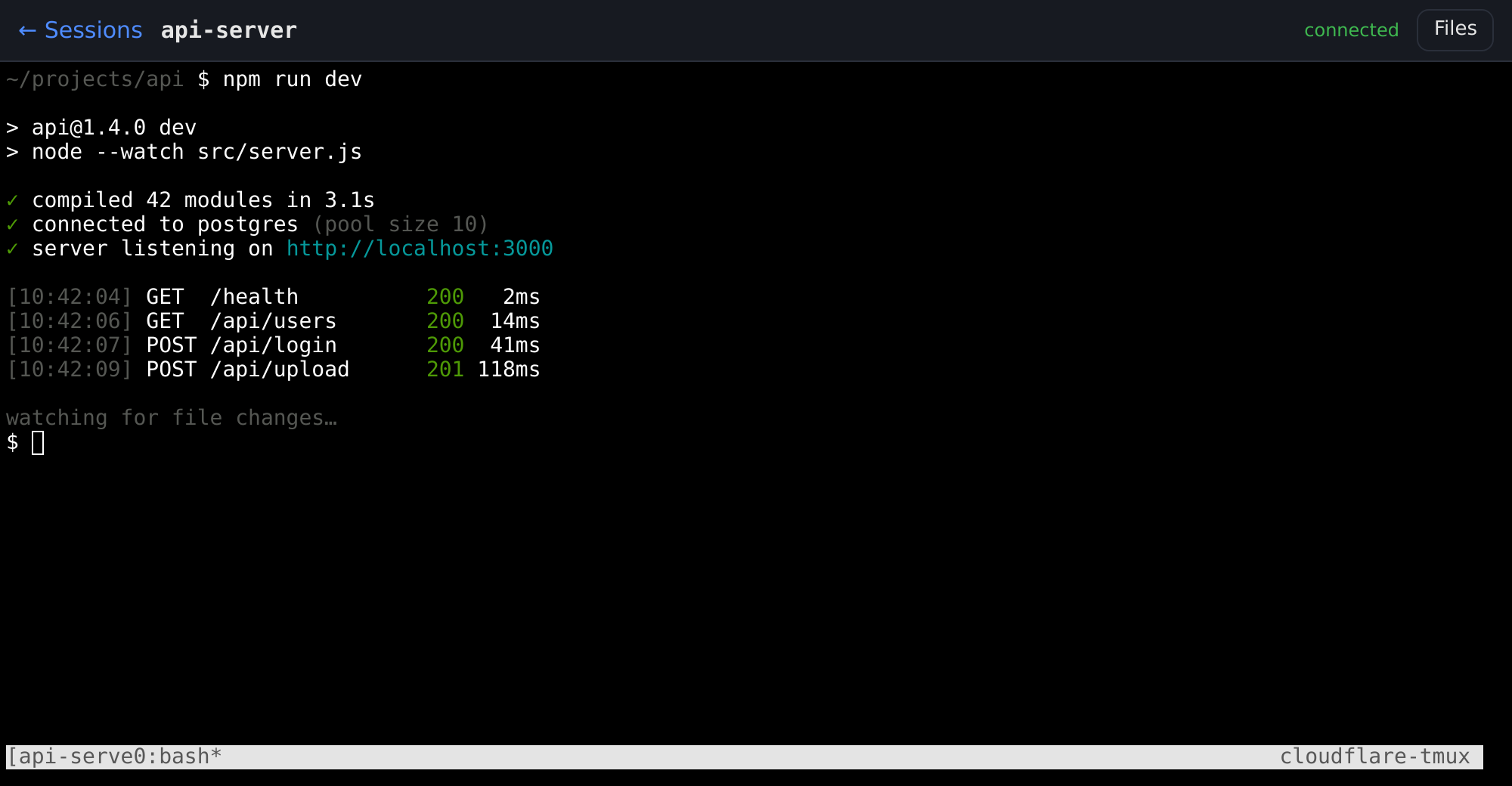
cloudflare-tmux gives you a terminal on your own Linux machine from any browser, including your phone. You sign in with your Cloudflare account. Your programs keep running when you close the tab.
Why people use it#
- No open ports. Your server connects out to Cloudflare. No port forwarding, public IP or firewall rules.
- Sign in with Cloudflare. A login page stands in front. Only the people you list get through.
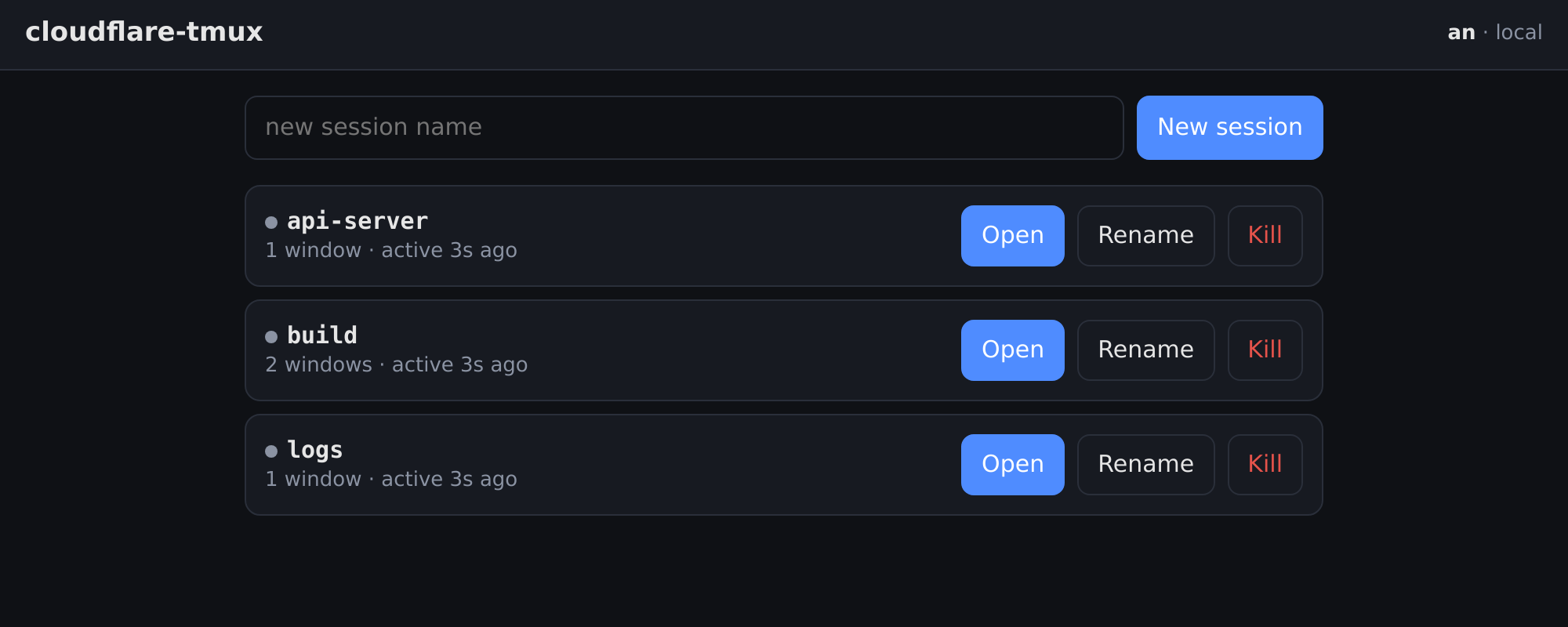
- Sessions survive. Every terminal is a real tmux session. Lose Wi-Fi, switch devices, come back later.
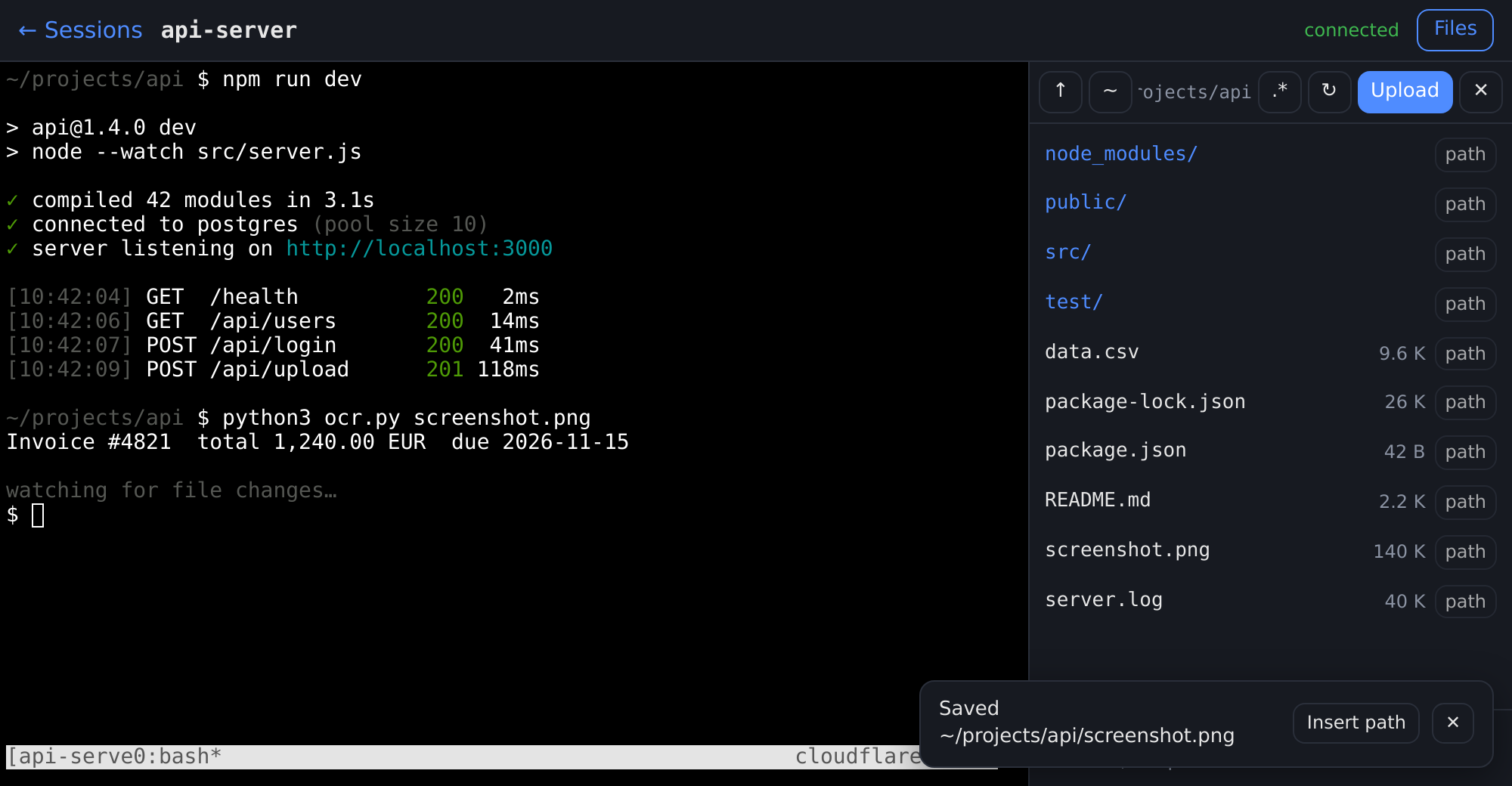
- Files too. Browse folders, download a file, drag files in, or paste a screenshot into the terminal.
- Works on phones. A key bar adds Esc, Tab, Ctrl, arrows and the tmux prefix on touch screens.
- One command for everything.
./install.shsets it up.cloudflare-tmuxruns it day to day.
How it works#
your browser ──▶ Cloudflare login page ──▶ tunnel ──▶ your server ──▶ tmux
Cloudflare checks who you are. If you are on the list, it forwards you through a tunnel to a small app on your server, which opens your tmux session. Your server never listens on the internet.
Get going in three steps#
- Before you start: a domain on Cloudflare, Zero Trust turned on, a Linux server. All on free plans.
- Install: clone, create one API token, run
./install.sh. About five minutes. - Add a person: one invite in the Cloudflare dashboard and one command.
Then see Using it for the dashboard, the terminal, copy and paste, files, and the phone key bar.
Day to day#
cloudflare-tmux status                       # is it online?
cloudflare-tmux add carol@example.com carol  # let someone log in
cloudflare-tmux doctor                       # something wrong? it tells you the fix
Everything else lives under Reference in the sidebar: settings, security, the two-step code, what gets created on Cloudflare, and how the install works under the hood.